"What strategies do you use to keep the knowledge in your databases up to date?"
That's a real question I watch knowledge managers ask, over and over, as they try to find one strategy that will keep their knowledge fresh.
People want a habit they can promise to keep, but what they actually need is a system that keeps running even after they forget about it.
Most teams already have the habit version, where every doc gets an owner and every owner reviews it once a year. On paper it holds, yet in practice the owner gets promoted, or moves teams, or leaves, and the doc they were responsible for keeps sitting there looking trustworthy while it quietly goes wrong.
So this guide isn't about trying harder. It's about building maintenance into the workspace itself, so that freshness survives turnover, growth, and the simple fact that nobody wakes up excited to audit docs.
I'll walk through how I'd set that up in Slite, whether you're on Basic or Pro.
Key takeaways
- Every knowledge base decays, so the real question isn't whether to maintain it, but what to fix first, and the answer is to prioritize by usage × age × importance.
- In 2026 the stakes changed, because AI agents now read your whole knowledge base, which means a stale doc is an infrastructure risk rather than just an annoyance.
- There are five ways to keep docs fresh, escalating from manual effort to full automation. The first four run on Basic, and a fully self-maintaining knowledge base is the Slite Agent, on Pro.
Why knowledge bases go stale (and why the stakes just changed)
Documentation decay is structural rather than a sign your team lacks discipline, and three forces drive it, so naming them is the first step toward designing around them.
- The first is that the pace of change outruns the rate of updates. In any given month, fewer than 1 in 20 docs in an active knowledge base gets updated, while the product, the policy, and the process keep moving on without them.
- The second is that ownership decays too. As one knowledge manager put it in a community thread, the number of article owners climbs as the knowledge base grows, and over a year a lot can happen to any one of them, whether that's a promotion, a new team, or a departure. When it does, the doc gets orphaned, and orphaned docs are exactly the ones nobody cleans up.
- The third is that upkeep is thankless, invisible work. It is genuinely hard to get people to maintain docs, because the person who'd have to do the updating rarely feels the pain of the doc being wrong. The reader hits the mistake, while the author has long since moved on.
What good maintenance actually delivers
Good maintenance has to deliver three things at once:
- knowledge that stays fresh without constant manual oversight,
- the ability to keep that true as the team and the doc count grow,
- and answers that both your people and your AI agents can trust.
Below I will show you five ways to get there in Slite, and the shape is simple.
You diagnose what's rotting, fix it in bulk, make freshness visible, and then automate the watching so you stop relying on memory.
The first four work on any plan, and the fully self-maintaining version is the Slite Agent.
Find what's quietly rotting in your knowledge base
The point is not to refresh blindly.
When a knowledge base feels broken, the instinct is to start rewriting from the top, which just burns your energy on whatever you happened to open first, so it's far better to diagnose with real usage signals before touching anything.
Ask Insights is your gap-and-quality finder, because Missing Answers shows the topics people need that you haven't documented, while Reported shows the docs your team actively distrusts. Read together, they tell you where the pain is concentrated, which is rarely where you'd have guessed.
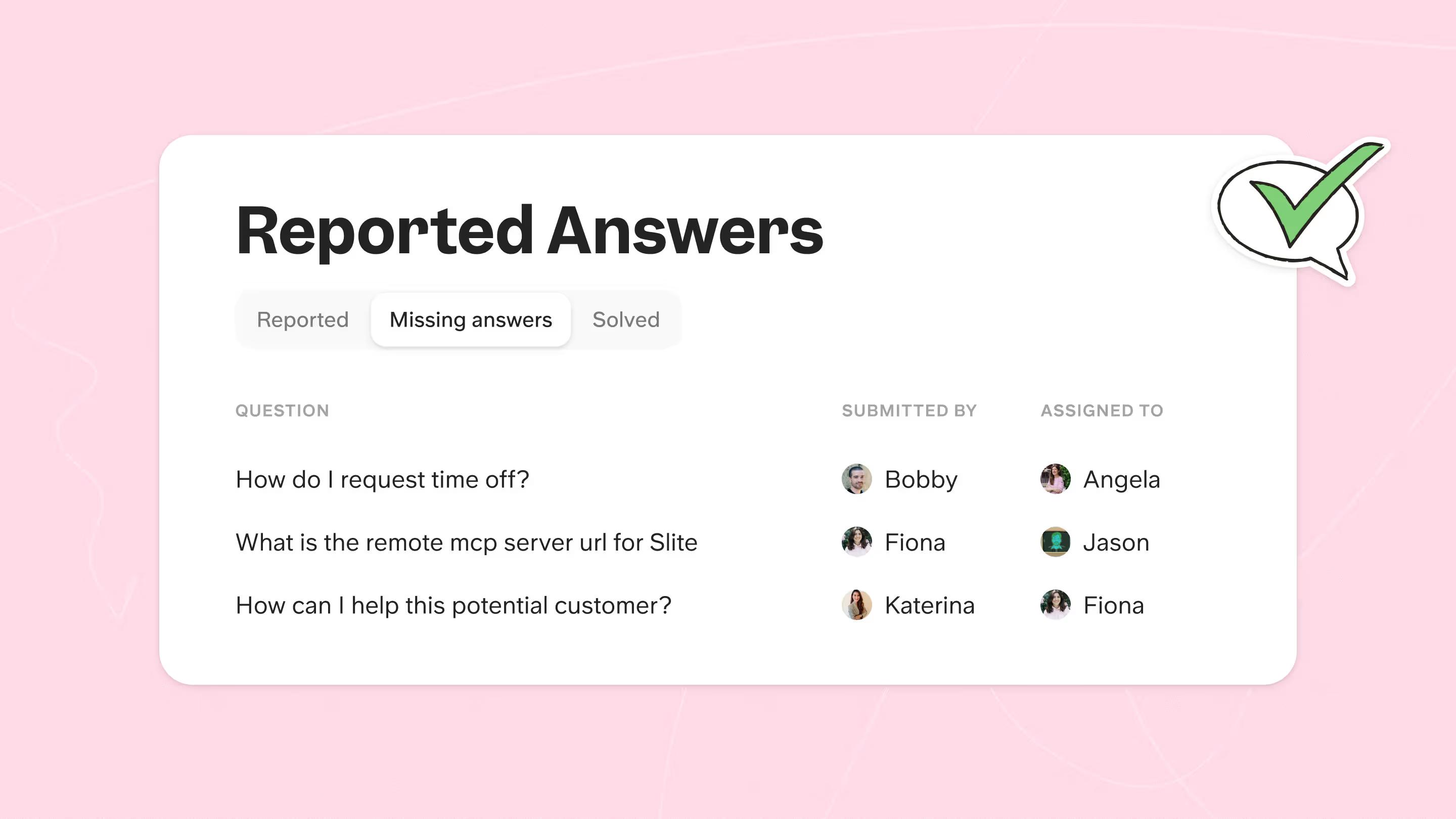
The Knowledge Management panel, meanwhile, is your inventory view. Slice it and you can surface docs untouched for 12-plus months, high-traffic pages that were never verified, orphaned docs with no owner, and the empty shells someone created and then abandoned.
How to do it in Slite
- Open Ask Insights, review the Missing Answers and Reported tabs, then either assign an owner or hit Generate answer to test whether your current docs now cover the gap.
- Open the Knowledge Management panel and sort or filter by last edited, views, owner, and verification status to build a prioritized backlog.
I watched a forecasting startup do exactly this and surface four high-priority stale docs from a single week of signals. They'd assumed the cleanup would be a month-long project, but once they let the data point at the real problems, it turned out to be an afternoon.
Decide which docs to fix first
To decide what documents to update first, triage by usage, age, and importance together.
Here's the ladder I actually use:
- Flagged outdated and high-traffic. These are actively misleading the most people, so you start here every time.
- Verification expired and high-traffic. Trust has lapsed on pages that plenty of people still rely on.
- High-traffic but never verified. Popular and unchecked is a quiet liability waiting to surface.
- Orphaned, with no owner. Assign someone before the doc rots any further, because accountability has to come before edits.
- Inactive or never viewed. Treat these as archive candidates rather than spending real effort on them.
The importance override is what keeps the ladder honest. A security policy that hasn't changed in eight months still gets reviewed, because the cost of it being wrong dwarfs the cost of reviewing it.
Age tells you what's likely stale, whereas importance tells you what you simply can't afford to be wrong about.
This whole ranked approach exists because "everything feels broken" is usually true and usually useless.
In one audit I sat in on, more than 90% of 200-plus reviewed articles came back unverified or outdated, and you can't fix a backlog like that with a blanket sweep. You fix it with an order.
Fix docs in bulk instead of one by one
Maintenance dies the moment every fix has to be manual. If clearing 200 stale docs means opening 200 docs, it simply won't happen, no matter how good your intentions were in the planning meeting.
Start by archiving duplicates and dead pages, because the same information living in three places multiplies the upkeep: each copy is one more thing to maintain and one more chance to contradict yourself. And if nobody ever archived the old copy, it's still making noise in both search and your agents' context.
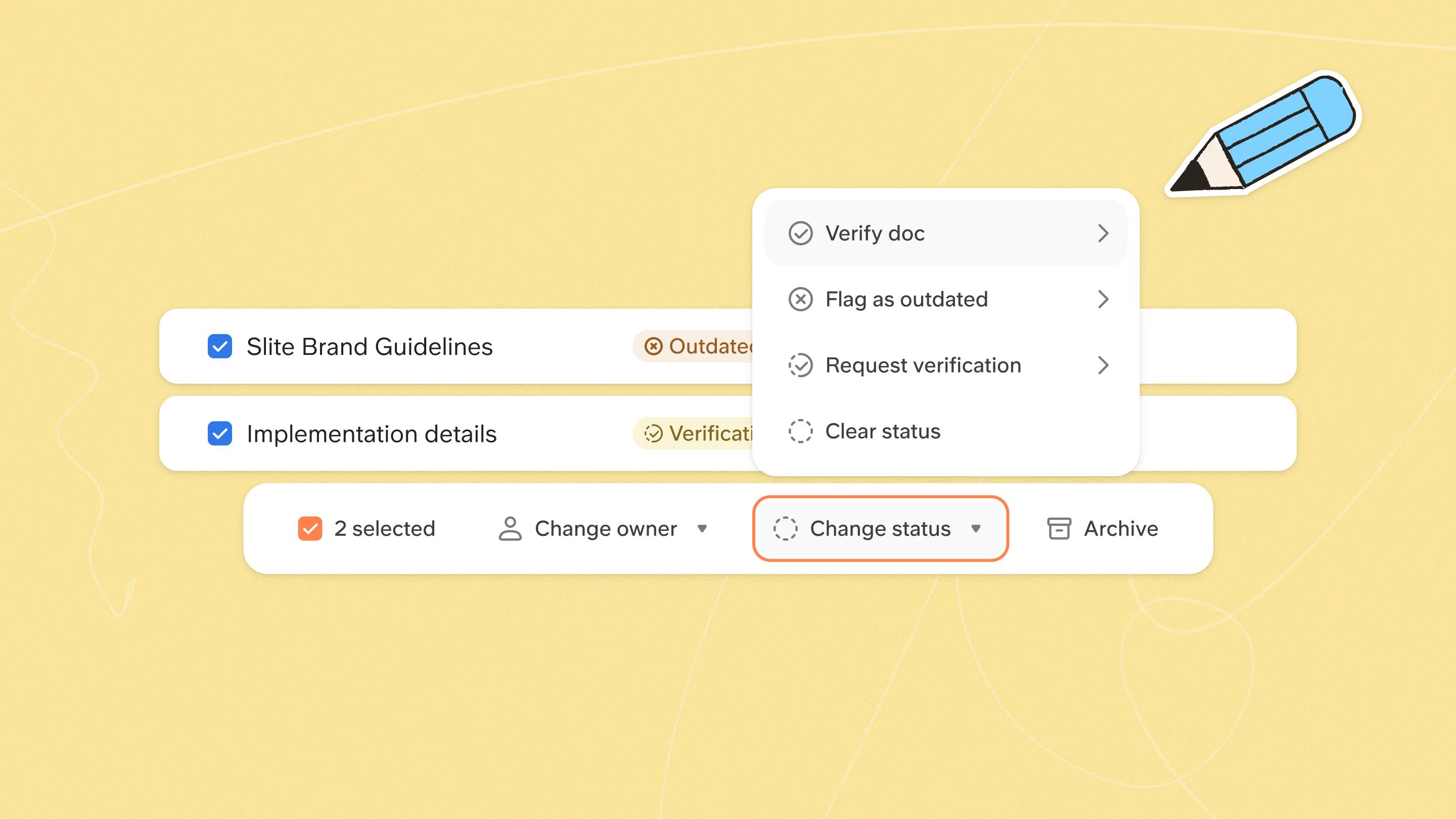
From there, reassign owners so that every live doc is accountable to exactly one person, and bulk-request verification so your subject-matter experts get a clean queue to work through instead of a vague "please check the wiki."
So, to clean up at scale, go to the Knowledge Management panel, select many docs at once, and then archive dead pages, reassign owners, and request verification in bulk. A cleanup that would take a whole quarter of one-by-one clicking collapses into an afternoon.
How to do it in Slite
- Open the Knowledge Management panel and multi-select the docs you're acting on.
- Bulk archive, reassign owner, or request verification across the whole selection in a single pass.
One owner per doc beats five, and Katerina, one of our account executives who has sat through hundreds of buyer evaluations, puts it well.
If a single person owns a doc, they'll probably update it, but if five people own it, each one quietly assumes it's someone else's job.
That diffusion of responsibility is how a doc with plenty of "owners" ends up with effectively none.
I've also seen what happens without it, because a startup that went through a round of turnover was left with pages nobody owned and nobody cleaned up, the digital equivalent of a desk whose occupant left months ago.
Bulk reassignment is how you dig back out of that.
📋 Want the click-by-click version? We keep a 12-action knowledge maintenance cheat sheet that runs through every cleanup in Slite, from clearing out empty docs to auditing channels, templates, and access, each with a screenshot. Treat it as the checklist you work down, while this article is the why behind each move.
Make freshness visible with verification
Verification keeps a knowledge base fresh by turning trust into something visible. You mark a doc Verified with a named owner and a re-verification cadence, and the review states, Verified, Verification Requested, Verification Expired, and Outdated, then signal at a glance which docs are trustworthy while pushing stale ones down in Ask results.
A verified doc is really a promise that someone who actually knows checked it recently, and it's that promise which lets the rest of the team stop double-checking everything in Slack.
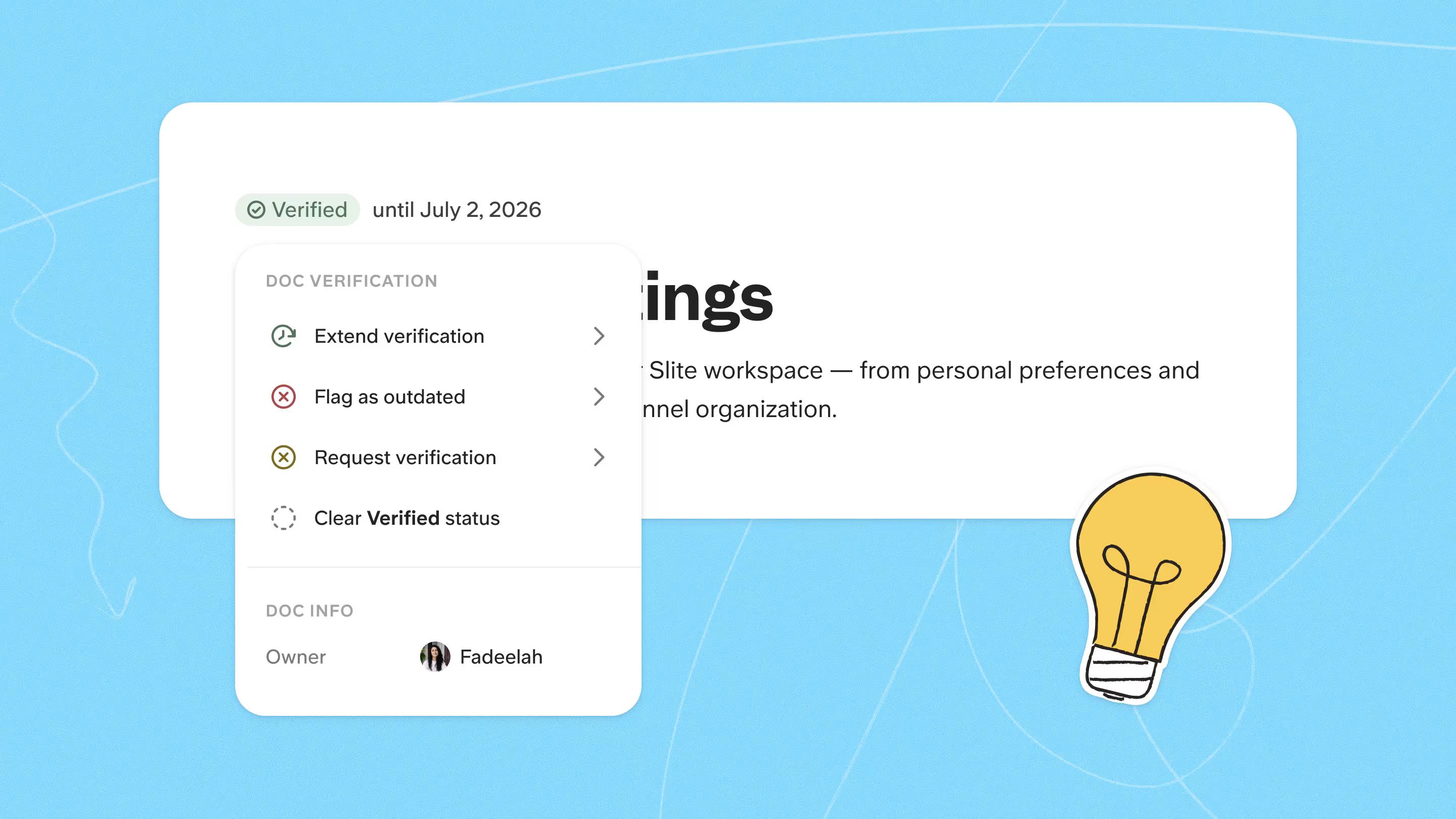
Be specific about cadence, too, because this is where most teams stay vague.
- Re-verify most docs every six months
- Put high-churn docs on a tighter loop
- Keep policies and onboarding on a fixed cycle regardless of age
This mirrors the "valid-to date" framing I hear from teams who've thought hard about it, where every doc carries a date by which someone has to look again.
Version history backs all of this up, since doc history and change tracking mean you can always see what changed, when, and by whom, including whether a given edit came from a person or an agent.
Verified forever trap
One honest warning belongs here. If verification never expires, people will use "verify forever" to silence the notifications, and then the knowledge base rots behind a green checkmark that no longer means anything.
I've watched it happen, which is why real expiry dates matter so much for keeping the signal honest.
A technical lead I worked with wanted exactly that, namely uniform enforcement so that staleness was obvious everywhere instead of hidden doc by doc.
Verification still has a limit, though, and that limit sets up the next two sections. It relies on a human remembering, and a doc can go wrong before its timer ever expires, so closing that gap is what automation is for.
Automate knowledge base updates with the Slite MCP
You can automate a lot of knowledge base maintenance on many different KB tools, but with Slite it gets especially easy since the MCP access is provided on all plans.
And the deeper reason to reach for the MCP is that it lets your own agents operate on Slite.
If your team already runs internal skills, workflows, pipelines, or agent setups, the Slite MCP exposes your docs to them directly, so they can read, create, and update knowledge as part of work they already do.
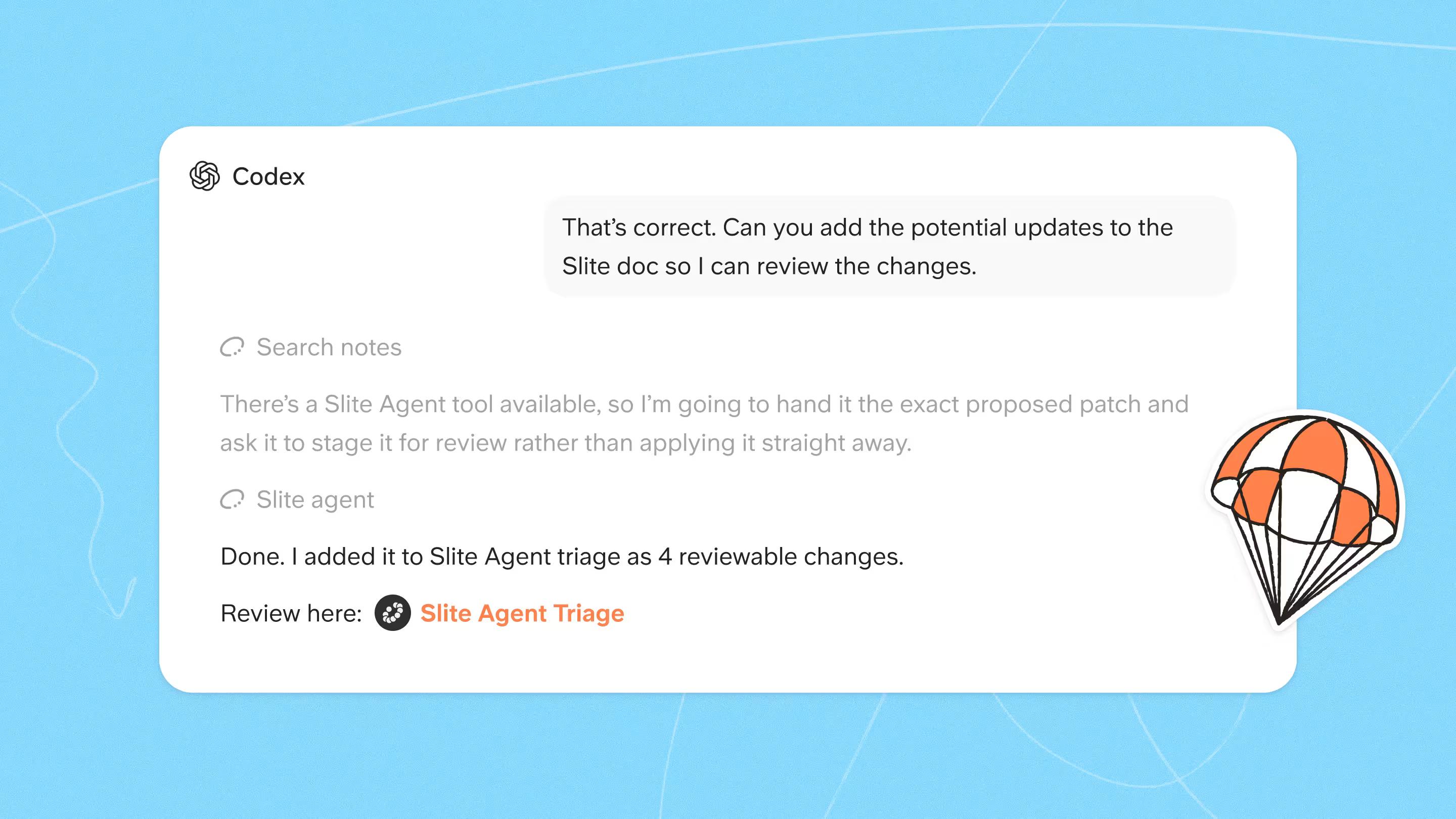
This is how technical teams automate maintenance today, for example one team uses it to spotlight every doc created in a given week, so nothing new slips through unreviewed.
Another team wires doc updates into an existing CI pipeline, so technical docs change in lockstep with the code.
Then, we have a client whose security team runs an internal skill that checks access-control and compliance docs against the live configuration and routes anything that's drifted to a compliance reviewer.
The common thread is that the logic lives in their systems, not ours, and the MCP is what gives those systems a fast, complete way in.
How to do it in Slite
- Connect the Slite MCP (or CLI) to the agents, skills, and pipelines your team already runs.
- Give them the job you need, whether that's spotlighting new docs from the past week, diffing a doc set against your sources, or updating on a schedule or from CI.
- Have them read and write in sliteml so they operate on the real doc structure.
A fintech team built exactly this kind of bespoke setup: a "knowledge health" workflow scoped to their own docs, with a deliberate triage step so a human always validated whatever the agent changed.
Their instinct was right, because automation is only a real time-saver when a human can still review what it changed. Run it on a recurring schedule for docs that drift slowly, or trigger it from CI for technical docs that change alongside the code.
Make your knowledge base self-maintaining with the Slite Agent
You can make a knowledge base self-maintaining by using the Slite Agent, which watches your connected tools and, whenever something contradicts a doc, drafts the fix and routes it to a human triage queue for approval. The knowledge base stays current without anyone running a manual audit.
It needs no build at all, watches your connected tools across the whole knowledge base, and keeps docs current on its own.
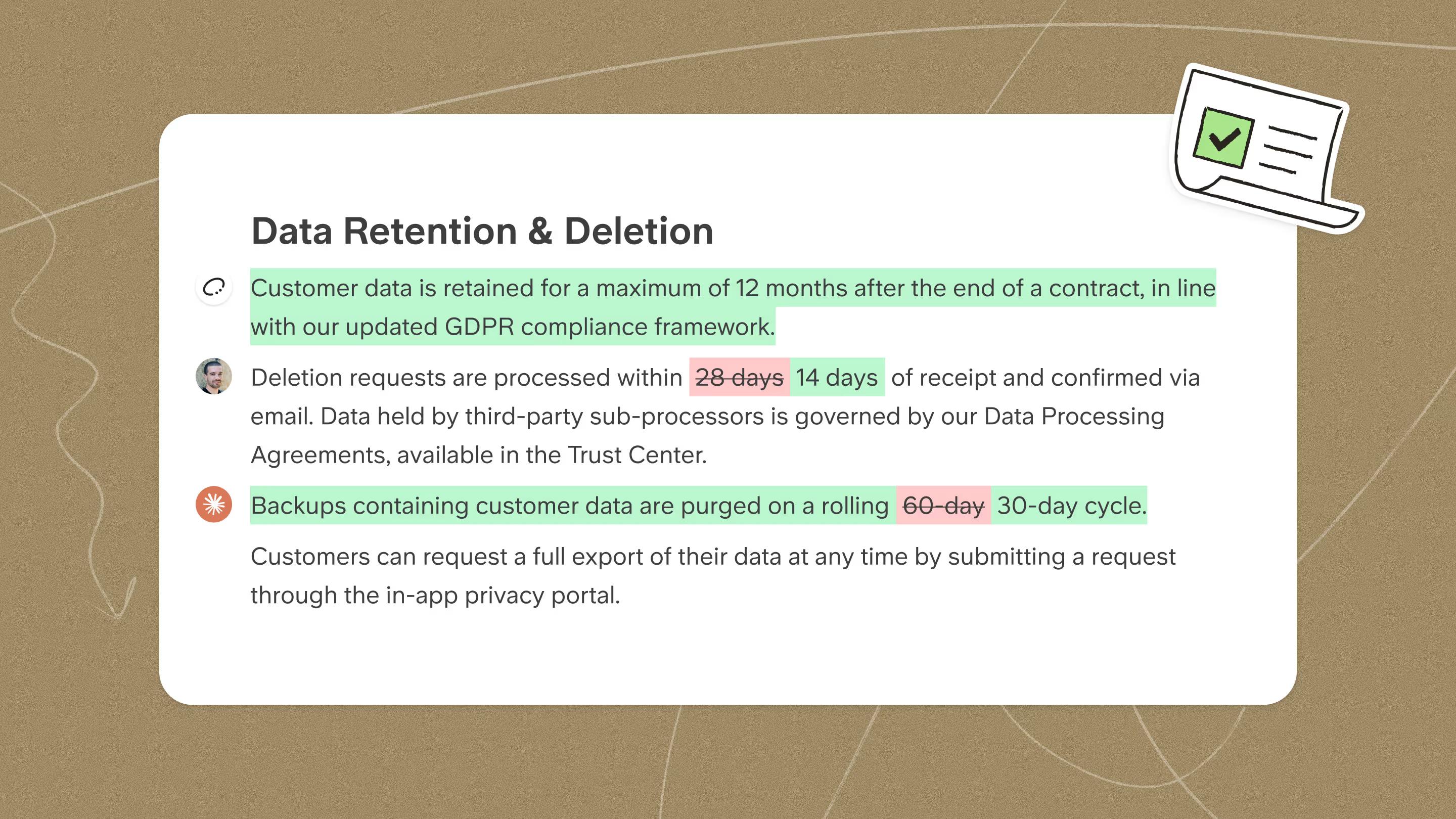
You stop remembering to check, it does the watching and the drafting, and you only decide which update is approved.
This is the structural answer to the enforcement problem, because maintenance stops depending on a thankless human remembering. The agent's reach is the whole knowledge base.
How to do it in Slite
- Click Self-maintaining status above any doc, or set it on a whole collection.
- Tell the agent which sources to monitor.
- Review its suggested edits in the triage queue and apply or reject them, since nothing changes without human approval.
It stays fully auditable, since every edit's origin is tracked and shown in the history and diff view, so you can see whether a change came from a person, from "MCP Claude," or from the Slite Agent.
How to choose the right approach
The right approach is the least manual one your situation actually calls for. Most teams begin with the manual techniques, diagnosing and verifying by hand, and only reach for automation once that stops keeping up.
| Approach | Best for | Effort | Plan |
|---|---|---|---|
| Find what's rotting (Ask Insights + KM analytics) | Knowing where to start | Low | Basic |
| Prioritize what to fix first (triage ladder) | Turning a backlog into a plan | Low | Basic |
| Fix in bulk (KM panel) | Cleanups at scale | Medium | Basic |
| Verify docs | A visible trust layer | Light, ongoing | Basic |
| Custom MCP agent | Your own agents, skills, and pipelines operating on Slite | High setup | Basic |
| Slite Agent | Hands-off freshness | Minimal | Pro |
If you're keeping a smaller set of docs honest, the manual techniques are plenty on their own.
Once you start scaling, or your business depends on certain SOPs staying verified and current, that's when agentic workflows earn their place, bridging the gap without piling on overhead.
Teams with dedicated AI ops have built their own agents on the MCP to do exactly that. We built the Slite Agent for everyone else who needs verified shared context that both humans and AI agents can trust.
Final thoughts
Maintenance isn't a chore you'll finally get disciplined about. It's a ladder you set up once and then climb, where you find what's rotting, fix it in bulk, make freshness visible, and finally let an agent do the watching for you.
The goal was never a "finished" knowledge base, because there's no such thing. The goal is a knowledge base your people, along with the AI agents built on top of it, trust enough that they stop double-checking everything in Slack.
So verify and clean up on Basic today, and when you want the watching to happen on its own, that's the Slite Agent. Book a demo and we'll set up a self-maintaining knowledge base on your real docs.
FAQ
What is knowledge base maintenance?
Knowledge base maintenance is the ongoing process of keeping documentation accurate, owned, and trusted as the product, the policies, and the team around it change. It covers diagnosing stale or missing content, prioritizing what to fix, updating or archiving docs, and then verifying their freshness on a regular cadence.
How often should you update your knowledge base?
You should re-verify most docs every six months, while putting high-churn docs on a tighter loop. Policies, security, and onboarding documentation belong on a fixed cycle regardless of age, because the cost of those being wrong is the highest, which means importance, and not just elapsed time, should drive the schedule.
How do you decide which documents to update first?
You decide by prioritizing usage, age, and importance together. Fix high-traffic docs that are flagged outdated first, then high-traffic docs whose verification has expired, then popular docs that were never verified, then orphaned docs with no owner, and finally the inactive ones, with policies and onboarding overriding the order whenever they appear.
How do you keep documentation from going out of date when owners leave?
You keep it current by assigning a single accountable owner per doc rather than a group, and by using a workspace inventory to catch orphaned docs the moment an owner departs. From there, reassign ownership in bulk during transitions and run automated drift detection, so that a doc losing its owner doesn't also mean it loses its updates.
Can you automate knowledge base updates?
Yes, you can. Connect an AI agent through the Slite MCP and it will diff your docs against live sources like your codebase, Slack, or tickets and draft fixes for human approval. For a more hands-off setup, the Slite Agent monitors your connected tools and routes suggested edits to a triage queue automatically.
How do you measure whether your knowledge base is working?
You measure it through Ask Insights, which tracks Missing Answers, the questions your docs can't answer, alongside Reported answers, the content people flagged as wrong. Combine that with verification coverage and per-doc view and feedback data, and you can see at a glance how much of your knowledge base your team actually trusts.